

- 8
- 0
Делал все по туториалу отсюда:
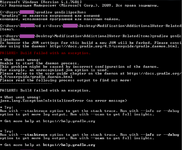
то, что было в командной строке:
To honour the JVM settings for the build a new JVM will be forked. Please consider using this daemon: The Gradle Daemon - Gradle User Manual.
FAILURE: Build falied with an exception.
* What went wrong:
Unable to start the daemon process.
This problem might be caused by incorrect configuration of the daemon.
For example, an unrecognized jvm option is used.
Please refer to the user guide chapter on the daemon at The Gradle Daemon - Gradle User Manual
Please read the following process outpot to find out more:
-----------------------
FAILURE: Build failed with an exception.
* What went wrong:
java.lang.ExceptionInInitializerError (no error message)
* Try:
Run with --stacktrace option to get the stack trace. Run with --info or --debug option to get more log output. Run with --scan to get full insights.
* Get more help at Gradle | Search for Help with Gradle
To honour the JVM settings for the build a new JVM will be forked. Please consider using this daemon: The Gradle Daemon - Gradle User Manual.
FAILURE: Build falied with an exception.
* What went wrong:
Unable to start the daemon process.
This problem might be caused by incorrect configuration of the daemon.
For example, an unrecognized jvm option is used.
Please refer to the user guide chapter on the daemon at The Gradle Daemon - Gradle User Manual
Please read the following process outpot to find out more:
-----------------------
FAILURE: Build failed with an exception.
* What went wrong:
java.lang.ExceptionInInitializerError (no error message)
* Try:
Run with --stacktrace option to get the stack trace. Run with --info or --debug option to get more log output. Run with --scan to get full insights.
* Get more help at Gradle | Search for Help with Gradle
Что мне делать?
И надо-ли что-то делать с этим \ прописывать это необходимо для создания модификаций?
Так-же, если кто знает, где можно просто и понятно узнать, как все эти JDK, JRE, Eclipse и Forge установить и чтобы получилось моды делать, скажите пожалуйста где.
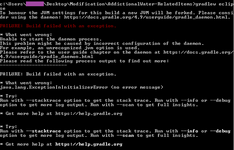
то, что было в командной строке:
gradlew setupDecompWorkspace
To honour the JVM settings for the build a new JVM will be forked. Please consider using this daemon: The Gradle Daemon - Gradle User Manual.
FAILURE: Build falied with an exception.
* What went wrong:
Unable to start the daemon process.
This problem might be caused by incorrect configuration of the daemon.
For example, an unrecognized jvm option is used.
Please refer to the user guide chapter on the daemon at The Gradle Daemon - Gradle User Manual
Please read the following process outpot to find out more:
-----------------------
FAILURE: Build failed with an exception.
* What went wrong:
java.lang.ExceptionInInitializerError (no error message)
* Try:
Run with --stacktrace option to get the stack trace. Run with --info or --debug option to get more log output. Run with --scan to get full insights.
- Get more help at Gradle | Search for Help with Gradle
- Try Run with -stacktrace option to get the stack trace. Run with --info or --debug option to get more log output. Run with --scan to get full insights.
* Get more help at Gradle | Search for Help with Gradle
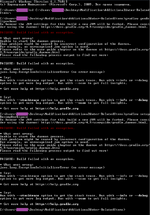
gradlew genEclipseRuns
To honour the JVM settings for the build a new JVM will be forked. Please consider using this daemon: The Gradle Daemon - Gradle User Manual.
FAILURE: Build falied with an exception.
* What went wrong:
Unable to start the daemon process.
This problem might be caused by incorrect configuration of the daemon.
For example, an unrecognized jvm option is used.
Please refer to the user guide chapter on the daemon at The Gradle Daemon - Gradle User Manual
Please read the following process outpot to find out more:
-----------------------
FAILURE: Build failed with an exception.
* What went wrong:
java.lang.ExceptionInInitializerError (no error message)
* Try:
Run with --stacktrace option to get the stack trace. Run with --info or --debug option to get more log output. Run with --scan to get full insights.
- Get more help at Gradle | Search for Help with Gradle
- Try Run with -stacktrace option to get the stack trace. Run with --info or --debug option to get more log output. Run with --scan to get full insights.
* Get more help at Gradle | Search for Help with Gradle
Что мне делать?
И надо-ли что-то делать с этим \ прописывать это необходимо для создания модификаций?
Так-же, если кто знает, где можно просто и понятно узнать, как все эти JDK, JRE, Eclipse и Forge установить и чтобы получилось моды делать, скажите пожалуйста где.
- Краш-лог
Нет
Краш-лог:
Нет